Verify Google Ads Requirements for Siteimprove Ads Integration
Summary
Siteimprove Ads integration requires a Google Ads user with Admin access and an account with active campaigns. This article explains how to verify both requirements when troubleshooting integration issues.
Check Admin access for the Google Ads account
Does the authorizing user have Admin access for the Google Ads account?
You can check client Admin access as follows:
- Open a browser and go to Google Ads.
- Sign in to your Google account.
- Enter the Google account email address and password.
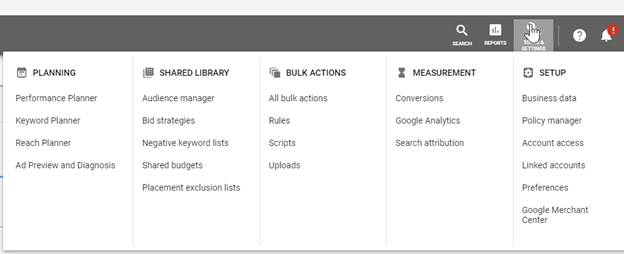
- On the main menu, go to Tools and Settings > Set Up > Account Access.
- Here, you can see if a user has Admin access under the Access Level column.
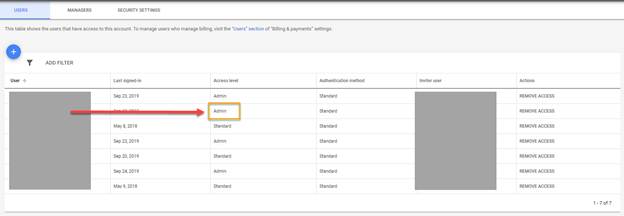
Note: An Admin can obtain data and has full access to the account. Other access levels have limited access. Make sure that the user you are using for the integration has Admin access on a Google Ads account. This is not the same as being an Admin on a Google account.
Check for live or active campaigns
Does the authorizing user have live/active campaigns on the Google Ads account?
You can check for active campaigns in the following way:
- Log into your Google Ads account.
- Click Campaigns on the left menu bar.
- Filter the campaign list by Enabled Campaigns. A green circle indicates live campaigns.
- Filter the time period for today’s date.
- Make sure that data is showing (i.e., impressions, clicks, or cost indicate ads are showing).
If data is showing, then this indicates you have an active campaign.
Verification
If data is showing, then this indicates you have an active campaign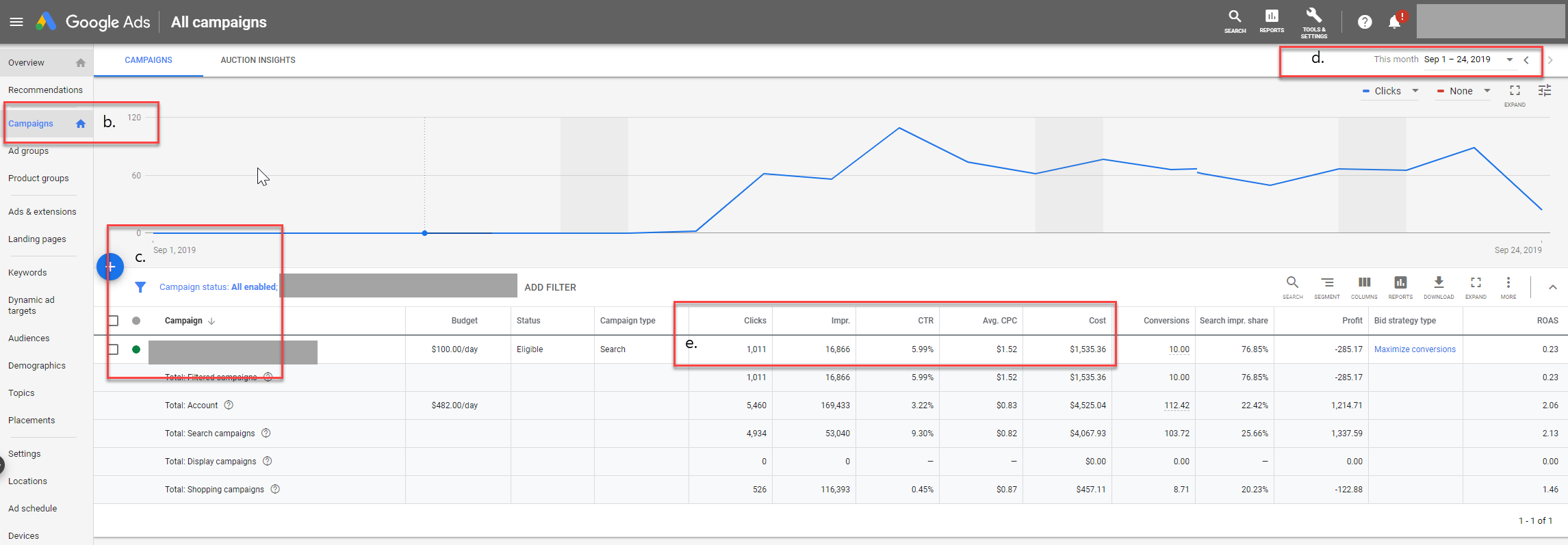
Related information
If you have any questions or difficulties with this, please reach out to Siteimprove technical support.
Did you find it helpful? Yes No
Send feedback