What is the Siteimprove QA Page Inspector?
Summary
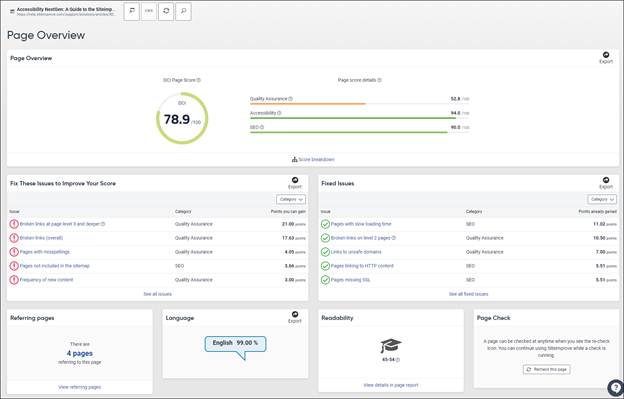
The Quality Assurance (QA) Page Inspector gives details of a specific page that has been checked using Siteimprove. It provides an inventory of page content and quality metrics, including DCI score, QA issues, referring pages, language details, readability score, and the shortest path from the home page.
Answer
The Quality Assurance (QA) Page Inspector gives details of a specific page that has been checked using Siteimprove.
Additional Information
The Page Overview shows an inventory of content including:
- DCI score
- QA Issues
- Referring pages
- Language details
- Readability Score
- Shortest Path from the home page.
Page Overview

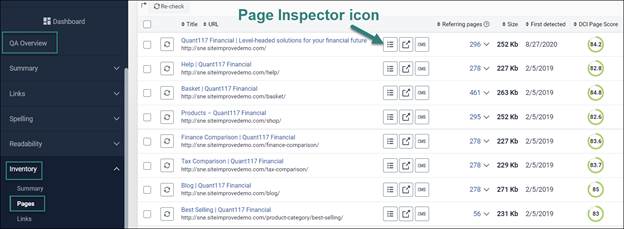
- Go to Quality Assurance > Inventory > Pages.
- Locate the page either manually or with the help of search option on the top of the page.
- Click on the Page inspector icon to the right of the page title.
Did you find it helpful? Yes No
Send feedbackSorry we couldn't be helpful. Help us improve this article with your feedback.