How To install the Siteimprove Accessibility browser extension
Summary
Follow these steps to install the Siteimprove Accessibility Checker browser extension in your preferred browser and make it available in your toolbar for use.
Applies to
- Chrome
- Firefox
- Microsoft Edge
- Opera
Procedure
Step 1: Install the browser extension
Install the Siteimprove Accessibility Checker extension from the browser webshop of your favorite browser
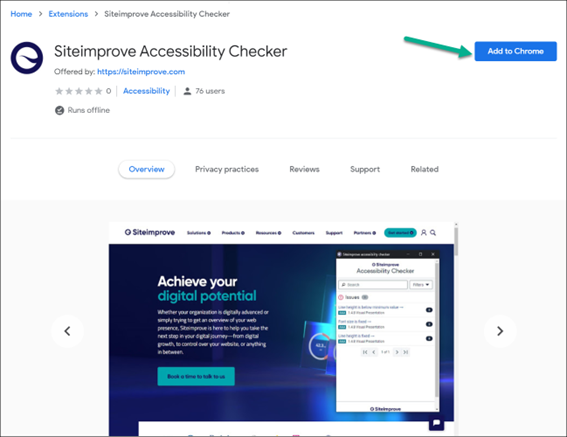
Step 2: Add the extension
Add the Siteimprove Accessibility browser extension (Chrome example)
Step 3: Approve terms and conditions
Approve the terms and conditions of the extension.
Step 4: Verify installation
You will then be able to find the Siteimprove Accessibility Checker icon in your browser menu bar.
Result
The Siteimprove Accessibility Checker extension is installed and accessible from your browser menu bar.
Did you find it helpful? Yes No
Send feedbackSorry we couldn't be helpful. Help us improve this article with your feedback.