How to Set Up and Test a Funnel in Siteimprove
Summary
To create a Funnel in Siteimprove, go to Funnels in Analytics, define a sequence of steps using pages or events, test the setup, and add the funnel to start analyzing user progress.
Overview
This article explains how to create and configure a Funnel in Siteimprove Analytics by defining a sequence of user interactions—such as page visits or events—to track how visitors progress toward a goal. It walks through accessing the Funnels feature, setting up steps, testing the configuration, and viewing detailed results to analyze user behavior and conversions.
Steps
Adding a Funnel
- Go to Analytics > Behavior > Funnels.
- Click Create Funnel and give it a name.
- Add two or more steps such as Pages visited and/or Events triggered.
- You can test that the Funnel works using Test Funnel - this will apply the funnel to last month's data.
- Click Add Funnel.
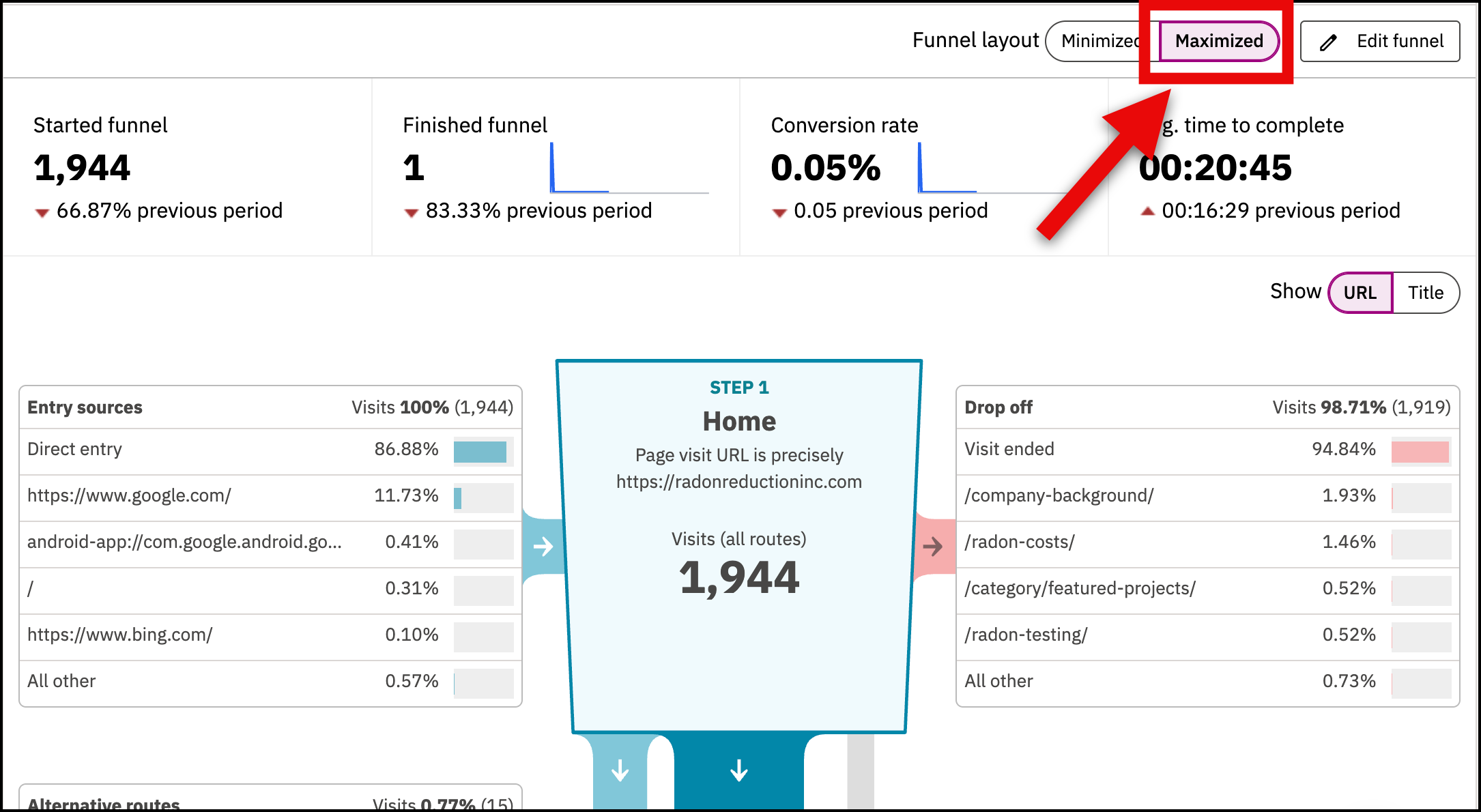
View detailed data
If a funnel is not showing detailed data, then you need to select the maximized option in the upper right hand corner.
Did you find it helpful? Yes No
Send feedbackSorry we couldn't be helpful. Help us improve this article with your feedback.