How Do I Add Page Tags Using a Policy?
Summary
You can automatically apply page tags in Siteimprove by creating a content policy and assigning tags within the policy setup.
Overview
Adding page tags using a policy allows you to automatically categorize and organize pages at scale by applying tags based on defined conditions. This approach enables consistent tagging, reduces manual effort, and ensures that pages matching specific rules are automatically labeled for easier filtering, reporting, and analysis within the Siteimprove platform.
Steps
- Go to Policy > My Policies.
- Click Create Policy.
- Select the Content policy category.
- Add rules to the policy as required.
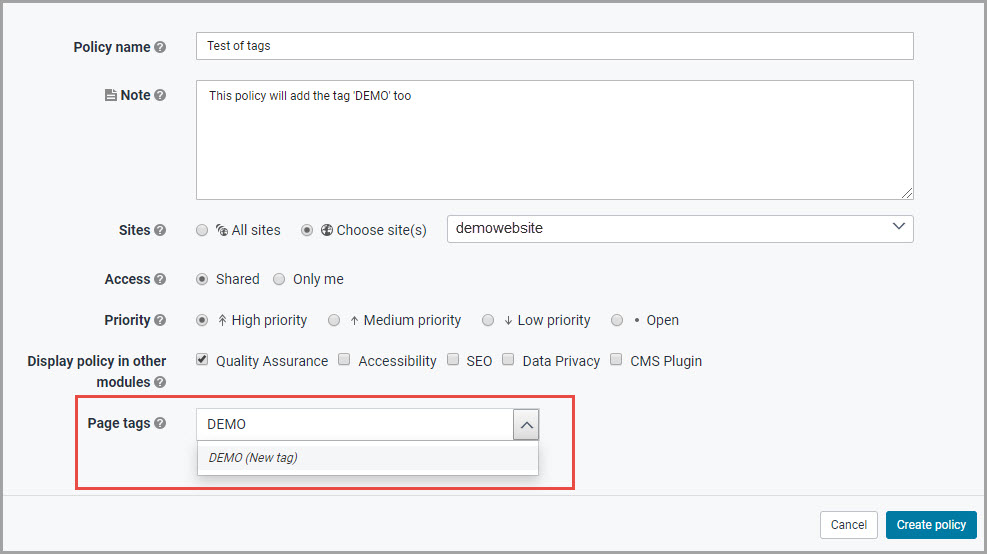
- Add the page tag(s) in the policy setup options.
- Click Create policy.
Did you find it helpful? Yes No
Send feedbackSorry we couldn't be helpful. Help us improve this article with your feedback.