How Do I Delete a Page Tag From All Pages?
Summary
To delete a page tag from all pages, navigate to Settings > Tags and remove the tag.
Overview
Deleting a page tag removes it from all associated pages at once, helping you maintain clean and accurate tagging across your Siteimprove account. This action is useful when a tag is no longer needed or relevant, ensuring that your tagging structure stays organized and up to date.
Steps
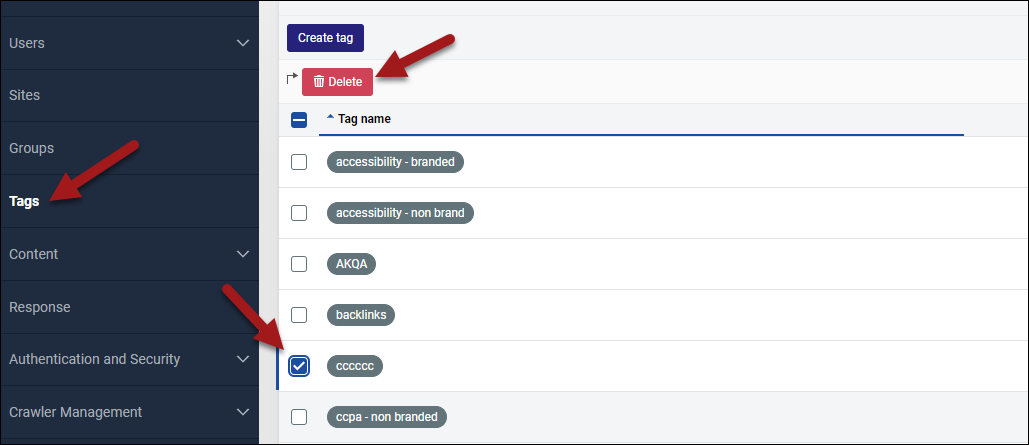
- Go to Settings > Tags.
- Select the tag you’d like to remove.
- Click Delete.
Did you find it helpful? Yes No
Send feedbackSorry we couldn't be helpful. Help us improve this article with your feedback.