How to Find a Site ID
Summary
A site ID is a unique identification number allocated to your website when added to the Siteimprove platform. You can find it in settings, in the platform URL, or via the API.
Prerequisites
- Access to the Siteimprove platform
Site ID
A site ID is a unique identification number allocated to your website when added to the Siteimprove platform.
You can find the site ID in the following three ways:
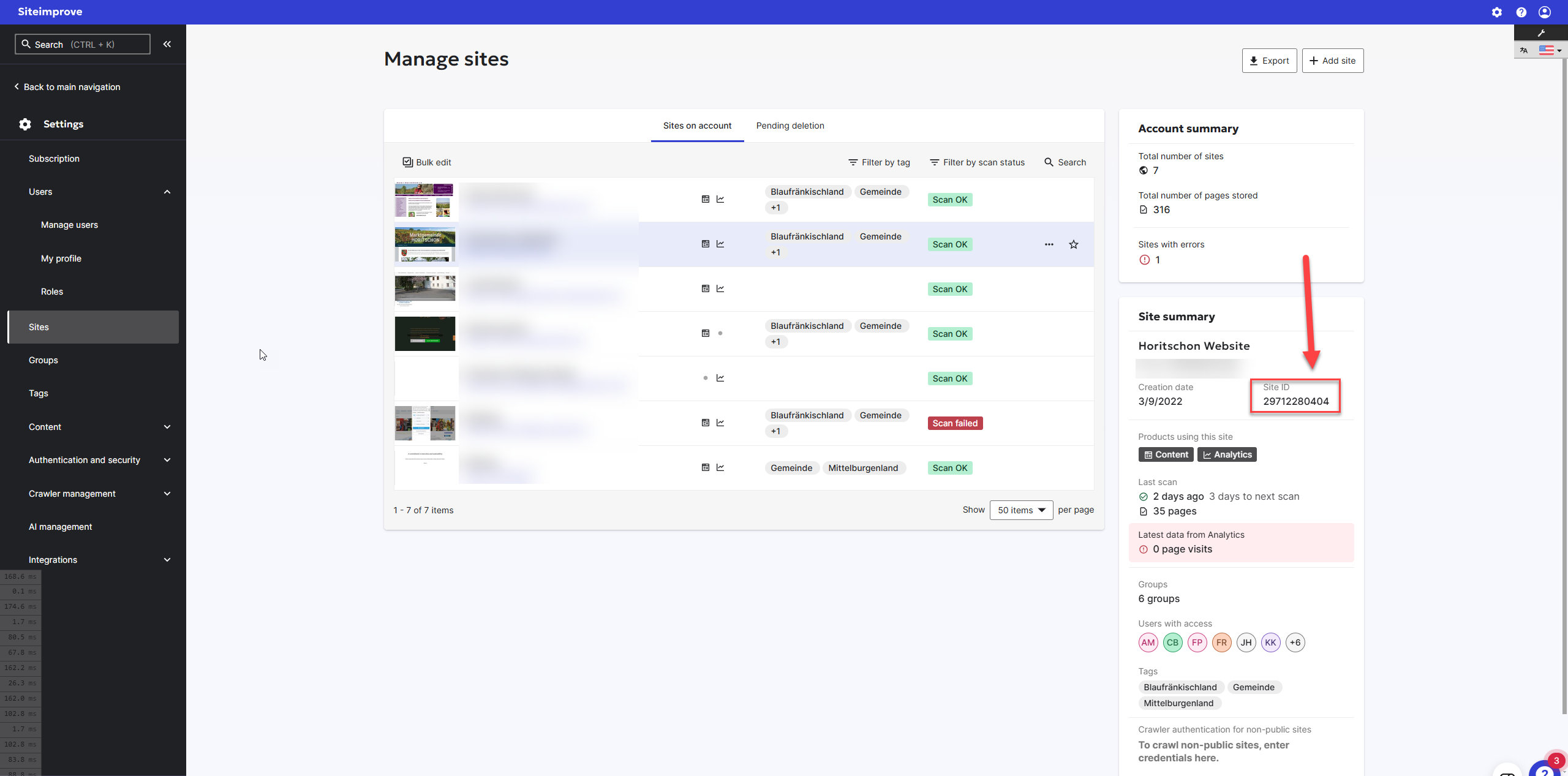
- Go to the site’s overview in Settings > Sites and select the site for which you need the site ID. The site ID is presented in the site summary card on the right side of the screen.
- When in the platform, the Site ID is presented as the last number in the URL when on the Siteimprove Dashboard for a selected site. For the URL shown below, the Site ID is 555.
- If you have API access, you can query the following API endpoint: https://api.siteimprove.com/v2/sites
Did you find it helpful? Yes No
Send feedbackSorry we couldn't be helpful. Help us improve this article with your feedback.