Improve Content with the Brand Voice Checker
Summary
Use the Brand Voice Checker to revise content, get immediate brand voice feedback, and copy approved updates into your CMS.
Use the Brand Voice Checker in the Page Report
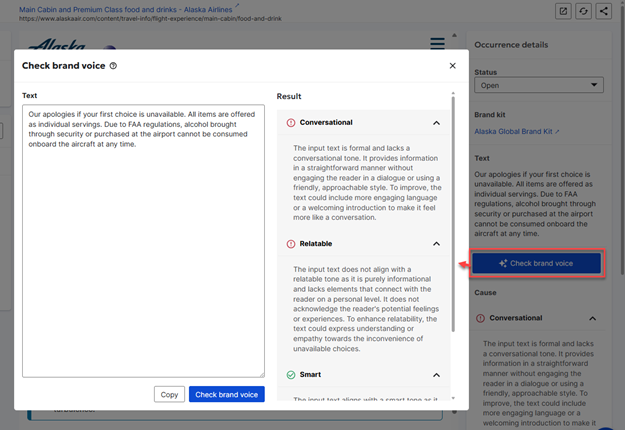
You can use the brand voice checker in the page report to refine content pieces for alignment with your brand voice. Each brand voice occurrence in the page report has a “Check brand voice” button. Clicking this button opens a modal where you can make content revisions and get immediate feedback on brand voice of those revisions. Once you are satisfied with the results, you can copy the revised content into your clipboard and paste them into your CMS (Content Management System). If you have configured CMS deep linking with Siteimprove, you can click on the "CMS" icon in the page report and land directly on the editing environment for that page in your CMS where the updates can be pasted.
Did you find it helpful? Yes No
Send feedback