Manage Brand Issue Statuses
Summary
Manage Brand Issue statuses by marking occurrences as Open, Acknowledged, or Dismissed and filtering issues by status.
Update Brand Issue Statuses
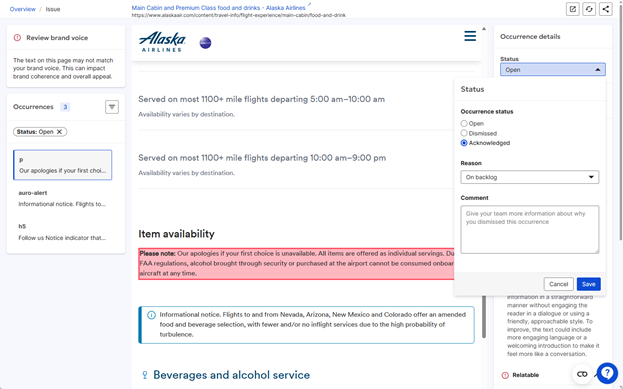
Each issue occurrence has a default “Open” status. You can change its status in the page report where the issue is flagged. Issues that need further action or investigation can be set to “Acknowledged" with relevant reasons and comments. Similarly, issue occurrences that don’t need action or resolution can be marked as “Dismissed” with supporting comments. The status of an issue occurrence can be updated at any time. An issue occurrence and its status are preserved across brand checks on that page until that issue is no longer detected in a brand check.
You can filter on issues by status to focus your attention on items that are either new or still need action or attention. 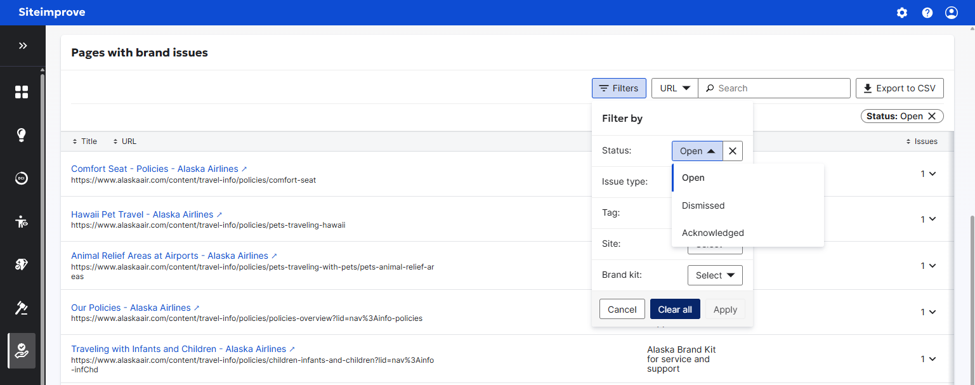
Did you find it helpful? Yes No
Send feedback