Manage Brand Consistency Permissions
Summary
Manage Brand Consistency permissions by hiding product access for roles that should not use Brand Consistency.
Limit Access to Brand Consistency by Role
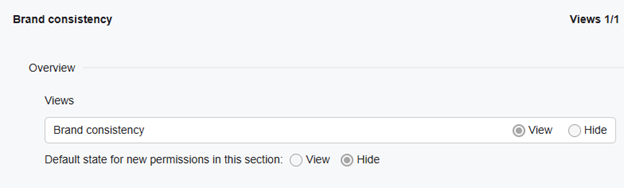
To limit access to Brand Consistency to specific roles, go to “Settings > Users > Roles” and find “Brand consistency” under the “Role permissions” section. Here, change Views for “Brand consistency” from “View” to “Hide” for roles that should not have access to this product.
Did you find it helpful? Yes No
Send feedbackSorry we couldn't be helpful. Help us improve this article with your feedback.