Review page analytics in the CMS plugin
Summary
Page Analytics shows Analytics or Traffic data such as behavior overview, page visits, page views, time spent on page, internal traffic, and feedback when available.
Overview
Use this article to understand the analytics information available for a page from the CMS plugin. This view helps users review engagement and feedback signals without leaving the CMS workflow.
The Page Analytics area shows Analytics (or Traffic) data if Analytics is included in your subscription.
The Analytics section shows data relating to the following:
- Behavior Overview
- Page visits
- Page views
- Time spent on page
- Internal traffic (referring pages and next pages)
- Feedback rating and comments
It's possible to filter the data by time period. To view more information within the Siteimprove platform, click on a section or link.
You can expand and collapse the different data components. To collapse components, select the minus (-) sign next to the component. If components are collapsed, you should be able to find and select the plus (+) sign to expand them under the ‘Collapsed components’ area.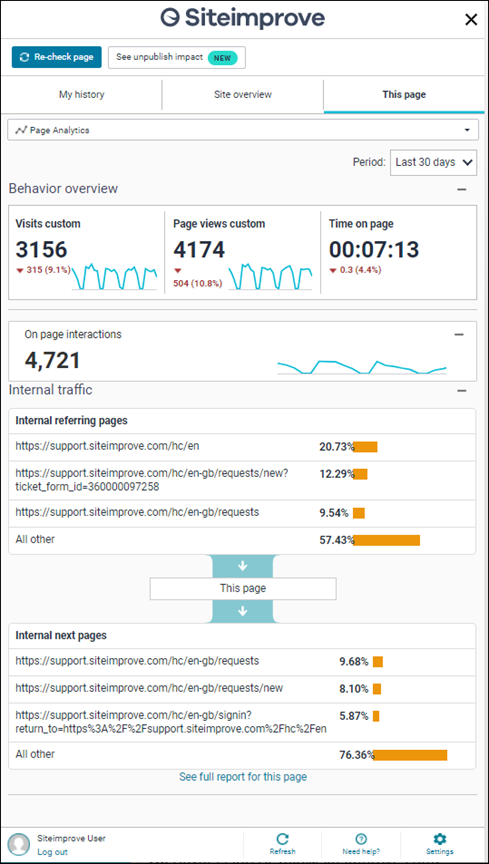
Related articles
Did you find it helpful? Yes No
Send feedback