Get Started with the Configurational Assistant
Summary
Use the Configurational Assistant in Analytics to describe a business question in plain language, review its suggested Key Metric, Funnel, or Segment, adjust the prefilled configuration, and save it.
The Configurational Assistant lets you describe what you want to measure in your own words and turns that description into a suggested configuration. Use it when you know the business question you're trying to answer but aren't sure which part of Analytics answers it, or how to set it up.
Who can use it
The Configurational Assistant is included with Analytics. There's nothing to buy, install, or switch on.
It respects the access you already have. You'll be offered the configuration types your account and permissions allow, and nothing beyond them.
Demo
Open the Configurational Assistant
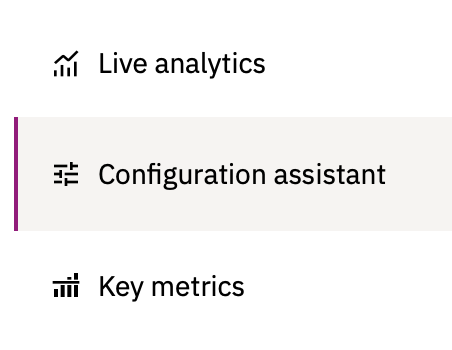
Go to Analytics in the main menu and select Configurational Assistant.
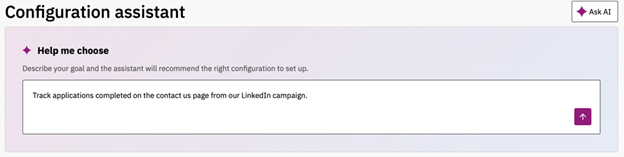
Step 1: Describe what you want to measure
Type your goal in plain language. You don't need to know whether the answer is a Key Metric, a Funnel, or a Segment — the Assistant works that out.
Examples of descriptions that work well:
- "I want to know whether our spring campaign led to people completing an application."
- "Track applications completed on the careers section from our LinkedIn campaign."
- "Find out where people give up in our appointment booking flow."
Already know what you want? You can choose the configuration type directly and skip this step.
Step 2: Review the suggestion
The Assistant recommends a configuration type and builds a suggested configuration to match your description.
Generating a suggestion can take up to 60 seconds.
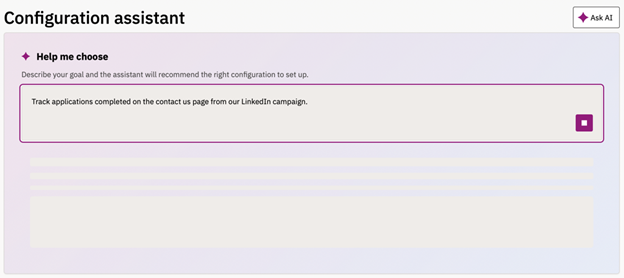
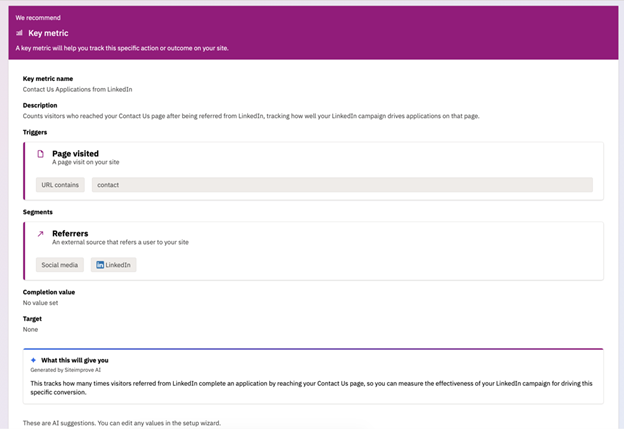
Read through what it has suggested before continuing. The suggestion is a starting point, not a finished configuration.
Step 3: Adjust and save
Take the suggestion into the guided setup, where every field is filled in and every field can be changed. Edit anything that isn't right, then save.
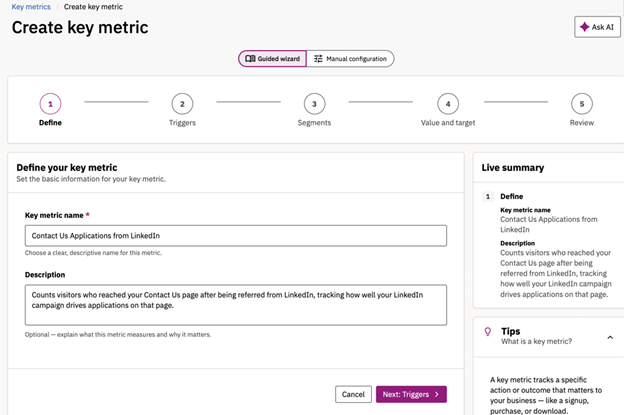
If the suggestion isn't close to what you wanted, start over. Your description is kept, so you can reword it rather than retype it.
Write a description that gets a better result
The quality of the suggestion depends on the quality of your description. A short, vague prompt produces a generic result.
Include:
- The business question, not just the feature. "Did our spring campaign lead to applications?" gives the Assistant more to work with than "campaign tracking."
- The pages or sections involved — the careers section, the application form, the checkout pages.
- Anything that identifies the traffic — campaign parameters, a particular subdomain, a source you care about.
Troubleshooting
The suggestion is taking a long time.
Generating a suggestion can take up to 60 seconds. This is expected.
The suggestion is too generic.
Reword your description with more detail about the business question and the specific pages or parameters involved, then try again.
Generation failed.
An error message appears when a suggestion can't be generated. Try again.
The configuration type I want isn't offered.
The Assistant only offers what your account and permissions already allow. Contact your account administrator if you need access to something that isn't showing.
Did you find it helpful? Yes No
Send feedback