Update Siteimprove API credentials in Power BI
Summary
This article explains how to update or change the saved Siteimprove API credentials for an existing connection in Power BI. It covers the API Username and API Key used to authenticate the connection.
Applies to: Power BI; an existing Siteimprove API data source connection; Siteimprove API Username and API Key.
Updating or Changing API Credentials
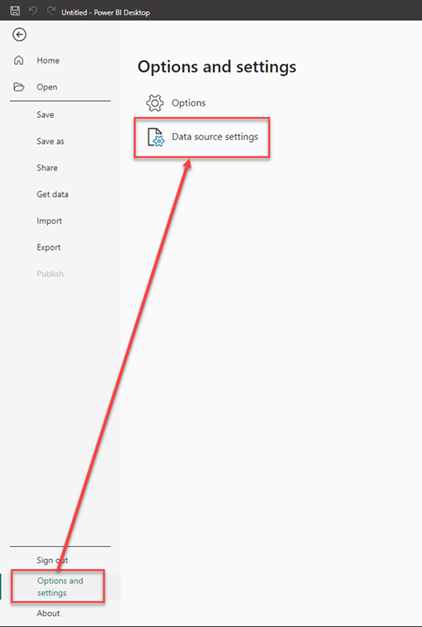
- Go under File > Options and Settings > Data Source Settings.
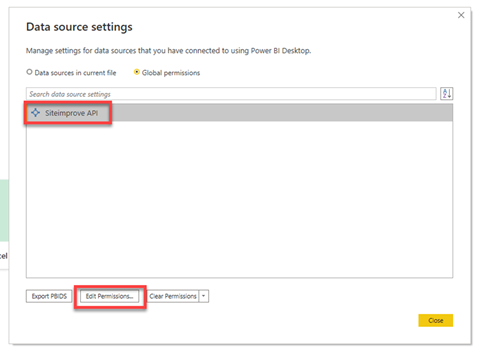
- Select Siteimprove API > Edit Permissions.
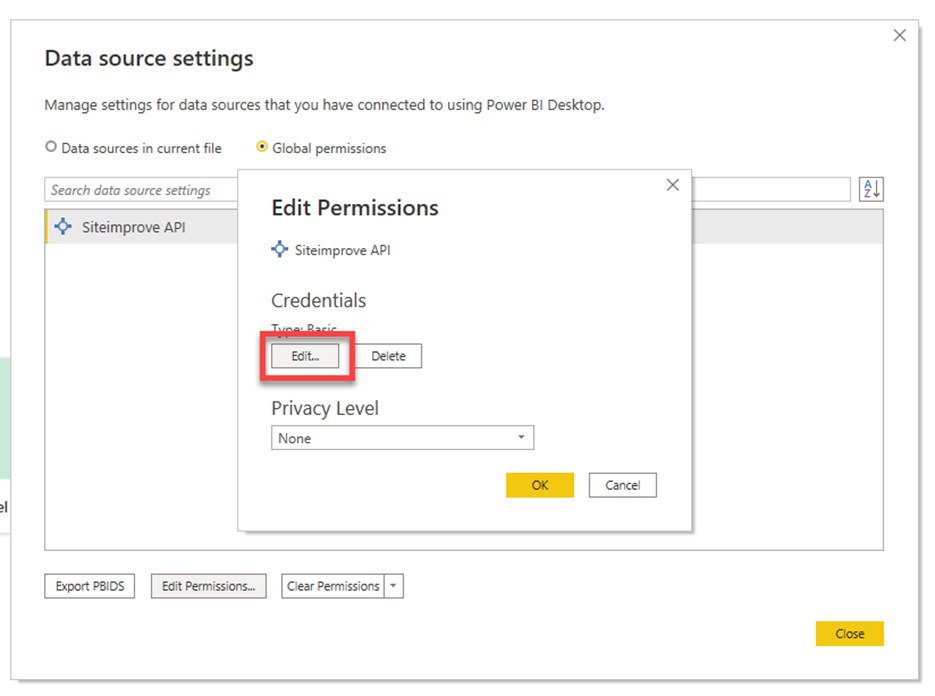
- Under Credentials, select Edit.
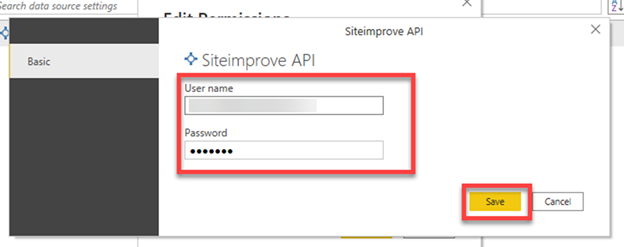
- Enter the API Username and API Key for Password from the platform under Integrations > API > API Keys > Save. See: How to Connect to the Siteimprove API for more information on API keys.
- Select OK > Close.
Did you find it helpful? Yes No
Send feedbackSorry we couldn't be helpful. Help us improve this article with your feedback.