Installing the AEM CMS Plugin
Summary
Download the plugin package for your AEM version, then follow the installation instructions for AEM Cloud, Universal Editor, or on-premises AEM. For on-premises AEM 6.4 and 6.5, install the package using Package Manager or curl. After package installation, proceed to Post Installation Tasks and Configuration as applicable to your environment.
Instructions
Download the plugin files
Visit the AEM CMS Plugin page to download the latest versions of the plugin. You will find the package files at the top of the page under the buttons for the corresponding version of AEM you are running. Package files may also be found under the “Installation and user manual” button about halfway down the page.
Installing the Plugin on the Cloud Version of AEM
For the Cloud version of AEM, follow How to install CMS Plugin for AEM Cloud. Then follow the rest of the installation steps after the package installation in Post Installation Tasks and Configuration as they apply to your environment.
Installing the Plugin for Universal Editor
To install the AEM Plugin with Adobe’s Universal Editor, follow How to install the Siteimprove extension for Adobe Universal Editor.
Installing the Plugin on Non-Cloud (On-Prem) Versions of AEM
For Non-Cloud versions 6.4 and 6.5, there are two ways to install the package: 1) with Package Manager or 2) via Curl Installation. Follow the steps below for the way you want to install the package.
Installation with Package Manager
- Go to AEM Package Manager (https://YOUR_ENVIRONMENT_DOMAIN/crx/packmgr/index.jsp).
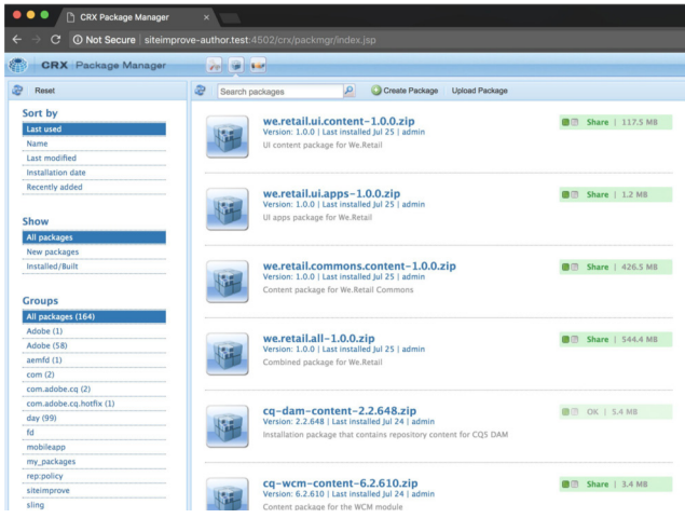
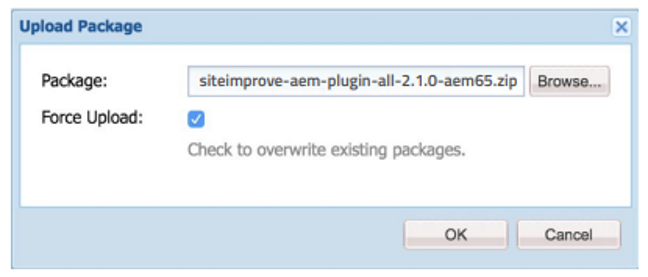
- Click Upload Package and select the Siteimprove plugin package matching your AEM version from the AEM CMS Plugin page.
- Click OK.
- You will see the uploaded package.
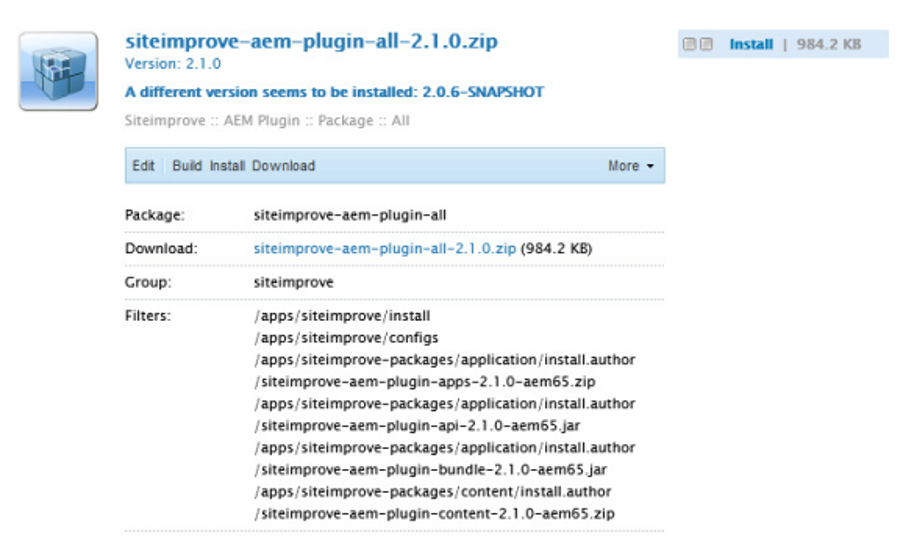
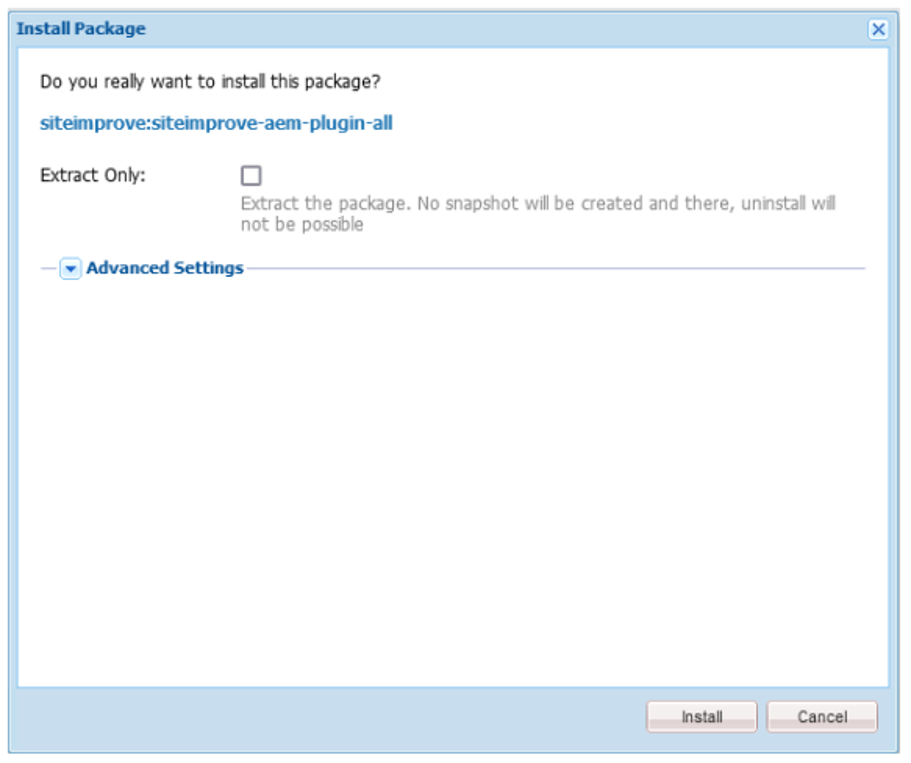
- Click Install. In the dialog, click Install.
- Check the activity log; it should not display any errors.
- Proceed to Post Installation Tasks and Configuration.
Curl Installation
The package can also be installed via curl:
For AEM 6.4 use (replace the plugin zip file with the most recent plugin version zip file):
curl -u admin:admin \
-F file=@”siteimprove-aem-plugin-all-2.1.0-aem64.zip” \
-F name=”siteimprove-aem-plugin-all-2.1.0-aem64.zip” \
-F force=true \
-F install=true \
http://localhost:4502/crx/packmgr/service.jsp
For AEM 6.5 use:
curl -u admin:admin \
-F file=@”siteimprove-aem-plugin-all-2.1.0-aem65.zip” \
-F name=”siteimprove-aem-plugin-all-2.1.0-aem65.zip” \
-F force=true \
-F install=true \
http://localhost:4502/crx/packmgr/service.jsp
After installation via curl, proceed to the Post-Installation Tasks and Configuration section.
Did you find it helpful? Yes No
Send feedback