Duplicate an Existing Policy
Summary
Duplicate an existing policy when you want to create a policy based on similar rules and then modify it to meet your needs.
Duplicate an existing policy
- Go to Policy > My Policies.
- Find the policy you want to duplicate.
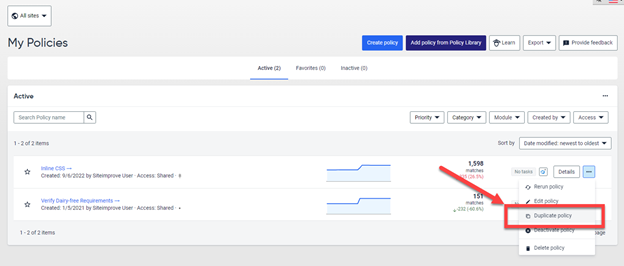
- Select the … menu on the right side of the policy.
- Select Duplicate policy.
- Modify the duplicated policy to meet your needs.
- Save the policy.
Related articles
Did you find it helpful? Yes No
Send feedbackSorry we couldn't be helpful. Help us improve this article with your feedback.